The Complete Guide to Pixel Art Cross-Stitch
By The Editorial Team · July 16, 2026
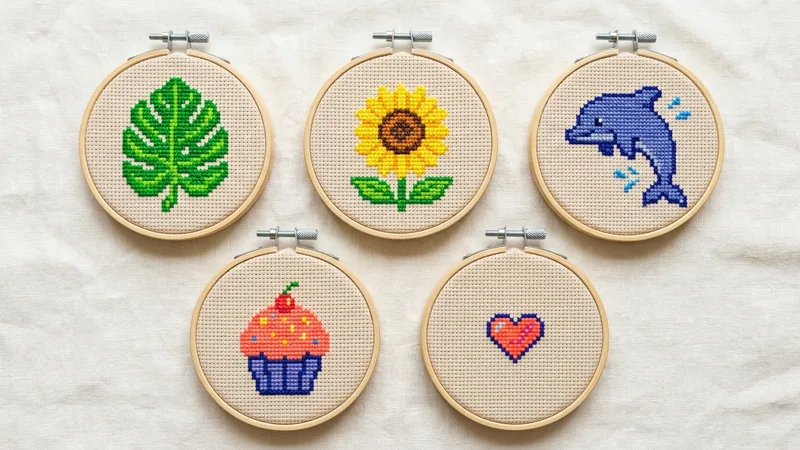
If you’ve scrolled past a cross-stitch pattern lately that looked more like a retro video game sprite than a Victorian sampler, you’ve already seen pixel art cross-stitch. It’s not a new stitching technique — it’s a design style, and it’s one of the fastest-growing corners of the craft right now.
What Pixel Art Cross-Stitch Actually Is
Traditional cross-stitch charts often use shading gradients — five or six close shades of the same color blending into each other to suggest curves and depth, the way a rose petal might fade from deep pink to near-white across a dozen stitches. Pixel art patterns work differently: each design element is built from flat, distinct blocks of color with hard edges between them, closer to 8-bit and 16-bit game sprites than a painting. A pixel monstera leaf reads as clean, graphic slabs of green rather than a soft gradient, and that’s the point — it’s meant to look crisp from across a room, not blended up close.
Why It’s Trending in 2026
Nostalgia for 8-bit and 16-bit game aesthetics has been building in home decor and merchandise for a few years now, and cross-stitch is a natural fit for it — the medium is already grid-based, so translating a sprite into stitches doesn’t require the design compromises that, say, printing a sprite on fabric would. It also plays well with the current appetite for smaller, faster-finishing projects: a lot of pixel-art patterns, like our Kawaii Smiling Burger, are small enough to finish in a single sitting instead of demanding weeks of evening stitching.
How It Differs From Traditional Charted Patterns
Beyond the flat-color look, pixel art patterns tend to have a much lower color count relative to their stitch count than a traditional shaded chart of similar size — a realistic floral piece might use 20 shades just for one flower’s petals, where a pixel-art equivalent uses 3 or 4 bold ones. That makes pixel-art patterns genuinely easier to follow for newer stitchers, since there’s less shade-matching guesswork, even when the finished piece looks visually complex. The tradeoff is that “pixels” in these patterns are often intentionally larger — a design might be blocked out at a coarser effective resolution than a photorealistic chart, which is a deliberate style choice, not a technical limitation.
Tips for Choosing Fabric Count for Crisp Pixel Edges
Because the whole visual appeal of pixel art rests on clean, hard-edged blocks of color, fabric count matters more here than it does for a shaded design. A lower count like 11 or 14 makes each “pixel” a bigger, more obviously square block — which is usually what you want, since it reinforces the blocky, retro look the style is going for. Jump up to 18 or higher and the same design shrinks down enough that the pixel blocks start reading more like fine detail than deliberate chunky squares, which can undercut the whole aesthetic. If you’re new to reading a chart at all, our guide to reading a cross-stitch chart covers the grid-and-symbol basics that pixel-art patterns use just like any other chart — the flat color blocks don’t change how you follow the pattern, just how the finished piece looks.
Where to Start Inside the Collection
The full pixel-art catalog splits into a few natural groups if you’d rather browse by subject than start from scratch. Our botanical roundup covers everything from quick single-stem flowers to the larger bonsai and monstera statement pieces, the kawaii food guide rounds up the dessert and savory patterns for kitchen decor, our ocean and garden animals post covers the smaller critter designs, and our funny animal round-up covers the bigger, more character-driven pieces like the capybara and sloth patterns if you want humor over cuteness.
Our Recommendation
Stick to 14-count Aida for your first pixel-art pattern — it’s the same count most traditional beginner patterns use (see our fabric guide if you haven’t picked fabric before), and it keeps the blocky pixel look obvious without making the piece unreasonably large. Start small: a design like the Pixel Seahorse or Pixel Rose finishes fast enough to tell you whether you like the flat-color style before you commit to one of the larger pieces in the collection.
Join us on Facebook
New free patterns every week, stitching tips, and a place to share what you've made.